
MetaTrader and TradingView are platforms, not interchangeable promises about brokerage service or execution quality. The better fit depends on the broker connection, available instruments, charting needs, and automation workflow. MetaTrader 4 and MetaTrader 5 also differ from each other. Before choosing, test the tasks you will actually perform rather than comparing screenshots or assuming that a familiar interface removes operational risk.
MetaTrader: Old, Unattractive, and Still Everywhere
MetaTrader has been the absolute backbone of retail Forex for over a decade. Most of us first stumble upon it when we sign up with a broker, simply because it’s everywhere. Open an account with almost any Forex broker in the world, and there's a huge chance they’ll hand you a login for MT4, MT5, or both.
That tells you something crucial. MetaTrader isn’t unusually popular because it's pretty. It’s popular because it became the default infrastructure of the trading industry.
Why Traders Keep Using Something That Looks So Dated
Let’s be direct—your first impression of MetaTrader will probably be rough. The interface feels clunky, the default charts are ugly, and finding simple tools can feel like a scavenger hunt. If you’re used to slick, modern web apps, MetaTrader feels almost hostile.
And yet, veteran traders absolutely swear by it. Why? Because once you set it up exactly how you like it, it just works. It doesn't crash, it doesn't try to entertain you, and it doesn't drain your computer's resources. You open it up, it connects instantly to your broker, loads your watchlist, and lets you execute trades without a fuss.
There’s something deeply reassuring about software that just minds its own business. MetaTrader lacks elegance, but it has strong dependability. When real money is on the line, a lot of traders value that bulletproof reliability way more than a pretty interface.
MT4 and MT5 Aren’t the Same Thing
It’s worth mentioning that when people say "MetaTrader," they’re really talking about two different platforms: MT4 and MT5.
MT4 is the older sibling. It’s still massively popular because it was the gold standard for so long, meaning there is a gigantic ecosystem of custom indicators, templates, and trading robots built exclusively for it. MT5 is the "newer" version (though still quite old). It’s technically superior under the hood, supports more asset classes, and has better order types.
Despite MT5 being better on paper, a huge chunk of the trading community refuses to leave MT4. Their brokers support it, their custom tools are coded for it, and they know it like the back of their hand. Traders are creatures of habit. If it ain't broke, they aren't going to fix it.
The Real Strength of MetaTrader: Execution and Infrastructure
The best argument for MetaTrader has absolutely nothing to do with charts. It’s all about execution. MetaTrader isn't just a standalone piece of software; it's deeply wired directly into your broker's servers. This is crucial because things like symbol names, contract sizes, spreads, and margin rules come straight from the broker. Because it’s tied directly to the source, you get the exact price feeds and order handling you'll experience live.
When your main goal is getting in and out of the market quickly and efficiently—rather than endlessly drawing lines on a chart—MetaTrader suddenly makes perfect sense. You can punch in orders, trail your stops, and manage your risk inside an environment that was explicitly built for transaction speed.
Is it glamorous? No. But trading is one of those gritty professions where flashy software usually takes a back seat to software you can trust with your money.
The Automation Advantage
If algorithmic trading is your thing, MetaTrader is still the undisputed king. Its large community built around Expert Advisors (EAs), custom scripts, and indicators is a huge reason the platform refuses to die.
There are plenty of successful quantitative traders who don't care at all that MT4 looks like a spreadsheet from 1998. They aren't sitting there manually drawing trendlines anyway. They want to backtest systems, automate their entries, and let the code do the heavy lifting. In that world, MetaTrader is basically required learning.
The beauty of this is that almost everything you can think of has already been built. If you have an idea for a custom tool, chances are someone in the MetaTrader community coded it years ago. It might need a few tweaks, but having that large library of pre-built tools is a huge advantage.
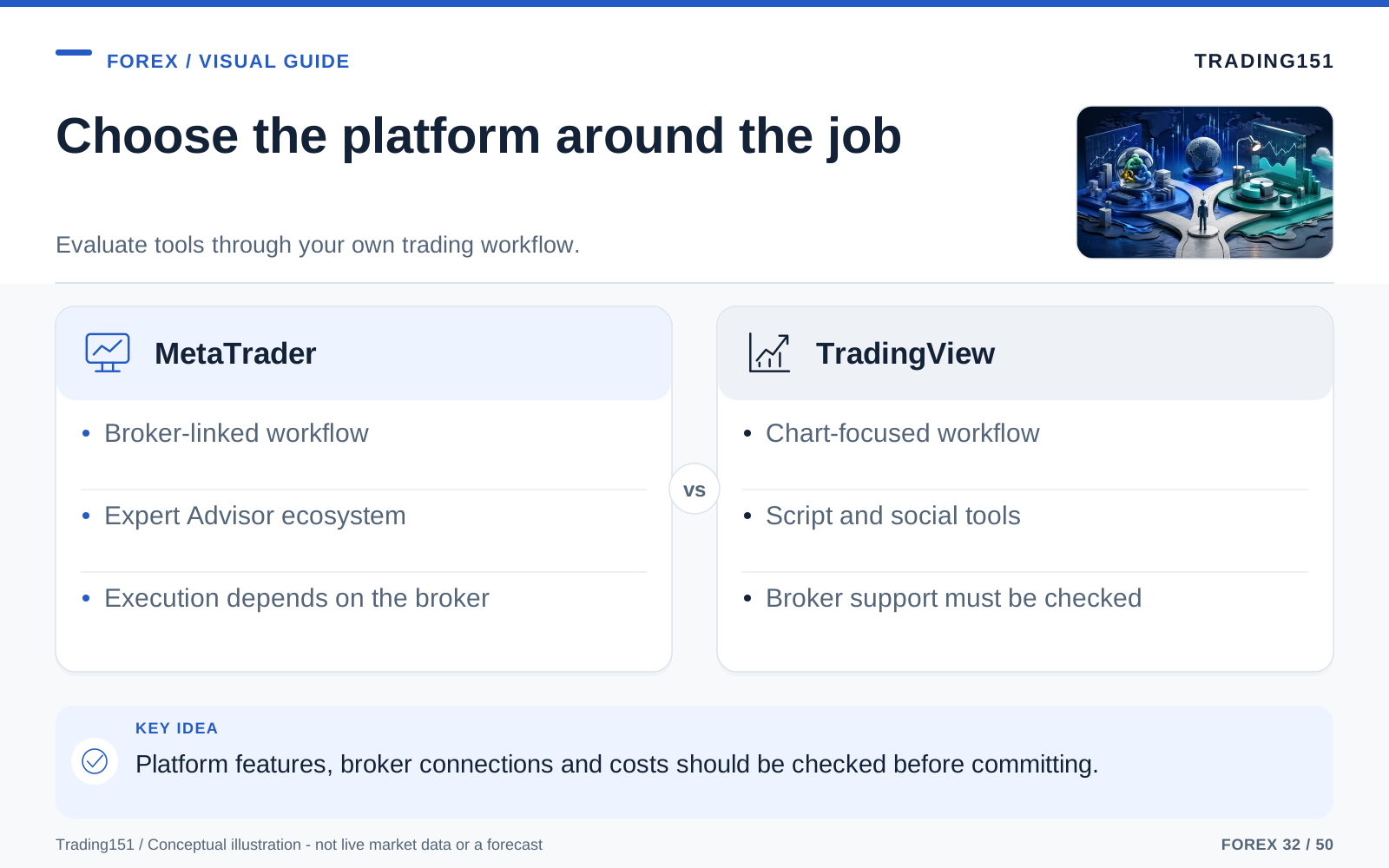
Read this diagram as text
- MetaTrader
- Broker-linked workflow; Expert Advisor ecosystem; Execution depends on the broker
- TradingView
- Chart-focused workflow; Script and social tools; Broker support must be checked
TradingView: Clean, Intuitive, and Built for Modern Chart Work
TradingView provides browser-based charting, with layouts and other settings available through an account subject to its features and plan. That workflow may suit someone who changes devices frequently. Ease of use is personal, however, and connectivity, data permissions, and synchronization behavior still need to be tested.
Now, there is a catch. The prices you see on TradingView come from various data feeds and might not match your specific broker’s feed perfectly down to the pip. For swing trading and broad analysis, this doesn't matter much. But if you're a scalper trading on the one-minute chart, a tiny difference in spread or the exact high of a candle can make or break a trade. If you’re analyzing on TradingView but executing somewhere else, always double-check the final setup on your broker’s platform.
Still, the sheer usability of TradingView matters way more than some old-school traders like to admit.
Let’s face it: technical analysis is tough when you’re starting out. You’re trying to wrap your head around market structure, volatility, risk-reward ratios, and timing. The last thing you need is to be fighting the software at the same time. TradingView removes that friction, letting you focus entirely on the market.
Why the Charting Experience Feels Better
When it comes to studying a chart, TradingView is in a league of its own. Zooming in, dragging the chart around, and adjusting your levels feels fluid. It responds like a modern smartphone rather than a clunky desktop app from the 90s. That might sound trivial, but when you spend four hours a day staring at price action, those little conveniences add up.
The best charting software doesn't just display price; it gets out of your way. TradingView is a masterclass in this.
A workspace should make the intended decisions easy to review. Check whether the platform keeps the relevant timeframes, drawings, alerts, and order information visible without unnecessary distraction. An attractive chart can improve usability, but it does not establish that the trading decisions made from it will be better.
Drawing Tools and Visual Clarity
This is where TradingView completely leaves MetaTrader in the dust. The drawing tools are fantastic. Trendlines snap into place naturally. Fibonacci tools, supply/demand zones, text annotations, and risk-to-reward calculators all feel highly refined. You never have to wrestle with the platform just to draw a simple box.
This visual clarity is huge. Trading is largely a visual game. You’re looking for patterns, noticing how price reacts at a key level, or spotting momentum shifts. A platform that lets you see those nuances clearly doesn’t just make trading more pleasant—it legitimately helps you stay organized and disciplined.
The Community Side: Helpful or Distracting, Depending on the Person
TradingView includes tools for publishing ideas and sharing scripts. MetaTrader users also have access to an ecosystem of communities, code, and commercial tools through MQL4 and MQL5 services. The difference is how those resources fit into the workflow, not the presence of a community on only one side.
For a lot of people, this is a goldmine. Trading can be an lonely profession, and having a community to bounce ideas off can introduce you to entirely new ways of looking at the market.
But for others? It’s a complete distraction.
It is dangerously easy to log in, look at a popular trader's substantially bullish chart, and suddenly abandon your own bearish analysis. Absorbing other people’s biases by accident is a real problem. If you’re the type of person who is easily swayed by loud opinions, TradingView’s social feed might do your trading account more harm than good. The charting is world-class, but the peanut gallery isn't always helpful.
Charting and Analysis: This Round Belongs to TradingView
For chart-focused work, compare the tasks you repeat: drawing a zone, changing feeds, reviewing several timeframes, saving layouts, and exporting information. A short trial of the same workflow is more useful than declaring a universal winner.
MetaTrader also provides charting and analysis tools. The relevant question is whether its interface and available extensions fit the work. Claims about how many successful traders used a platform are not evidence of its superiority, and no platform makes a strategy profitable on its own.
It’s not just about looking pretty. It’s about how efficiently you can work:
- Multi-timeframe analysis is practically effortless.
- Drawing tools do what you want them to do.
- Custom layouts are a breeze to organize and save.
- Alerts can be set up in seconds directly on the chart.
- Visual clarity means less eye strain and less mental fatigue during long sessions.
If you are a discretionary trader—meaning you make decisions based on what you see rather than relying on an automated bot—this stuff is invaluable. If your trading style requires patience, planning, and deep market study, TradingView is going to feel like home.
Execution and Broker Integration: MetaTrader Still Has the Edge
But here is where the conversation takes a hard turn. Analyzing a chart and executing a live trade are two very different jobs.
Live execution depends on the broker connection, instrument, order types, and account permissions. Test the supported workflow rather than inferring reliability from the platform's reputation. The charting interface and the broker's execution service are related but separate parts of the arrangement.
MetaTrader and TradingView support different broker and product integrations. Availability varies by broker entity, location, account type, and instrument. Check the current supported integration directly; a platform being popular does not mean that nearly every broker offers it or that every feature is available through each connection.
To put it simply: TradingView might be the fancy dashboard, but MetaTrader is bolted directly to the engine.
If you’re a scalper, if you trade the news, or if you just want the peace of mind that comes from using the platform your broker natively supports, MetaTrader is the way to go. It might not look like much, but when you hit the "buy" button with serious money on the line, you want reliability over aesthetics.
Automation and Coding: Different Tools for Different Minds
MetaTrader 4 uses MQL4, while MetaTrader 5 uses MQL5. They are related but have important differences, so code should not be assumed to move unchanged between them. TradingView uses Pine Script, with its own execution model and supported features.
MetaTrader is built for the hardcore algorithmic trader. Because it lives inside the broker environment, MQL is fantastic for building heavy-duty automated trading bots (EAs) that manage actual live orders.
Pine Script can define indicators, strategies, and alert conditions. TradingView's strategy tester uses a broker emulator for hypothetical orders. A successful backtest is not evidence that live orders have been sent, and live automation requires a separately supported connection and operating arrangement.
Pine Script encourages everyday traders to experiment and test their ideas rather than just guessing. For most people, that’s way more useful than MetaTrader’s industrial-grade automation.
(Just a heads up: if you test a strategy in Pine Script and then pay a coder to turn it into a MetaTrader EA, the results might look different due to how the platforms handle data. Always forward-test your bots!).
Choose according to the complete job: analysis, historical testing, live execution, supervision, and recovery from failure. A trader may use more than one platform, but each handoff introduces questions about data, timing, and order state that need to be resolved.
Mobile Use: Convenience vs Utility
—Even traders who swear they only trade from a highly focused desktop setup check the markets on their phones. Mobile trading matters.
TradingView easily wins the mobile experience award. Because it’s all cloud-based, the app on your phone perfectly mirrors the browser on your laptop. Every trendline you draw on your computer instantly shows up on your phone. If you're constantly on the move, that seamless connection is a game-changer.
The MetaTrader app is... Well, it's utilitarian. It’s perfectly fine for glancing at prices, checking your P&L, or quickly closing a trade while you're at the grocery store. But trying to do actual, deep technical analysis on the MT4 app is an exercise in frustration.
That being said, a lot of traders don’t care. They don’t want to draw complex retracements on a 6-inch screen anyway. If all you need is a fast, reliable app to babysit your open trades while you're out to lunch, the MetaTrader app does exactly what it needs to do.
Cost: One Is Included, the Other Gets Better as You Pay
Pricing is a large factor, especially if you're just starting out.
MetaTrader is free. Well, technically your broker covers the licensing, but to you, the trader, it costs absolutely nothing. You get a fully functional, professional-grade execution platform without adding another monthly subscription to your life.
TradingView, on the other hand, operates on a freemium model. The free tier is decent enough for beginners, but you'll have to deal with pop-up ads, and you're limited on how many indicators and charts you can have open. If you take trading seriously, you will inevitably end up paying for a premium plan.
Now, paying for good software isn't inherently bad. If a tool legitimately improves your trading and saves you time, it pays for itself. But it does force a question: is having prettier charts worth a monthly fee?
Plenty of traders will happily fork over the cash because TradingView makes their lives so much easier. Others look at that subscription fee and think, "Why would I pay for charts when I still have to use MetaTrader to place my trades?" Both mindsets make total sense.
The Less Obvious Factor: Mental Friction
When people compare these platforms, they obsess over features, speeds, and coding languages. But they almost always ignore the silent killer in trading: mental friction.
If your software is annoying to use, you'll subconsciously rush your analysis. If your workspace is cluttered, your thinking gets cluttered, too. Trading is stressful enough; you shouldn't be fighting your software on top of it.
This is the real reason TradingView has such a cult following. It reduces the friction during the planning phase, keeping you calm and organized.
On the flip side, MetaTrader reduces friction exactly where it matters most: at the moment of execution. The muscle memory kicks in, the orders are sent directly to the broker, and there is zero hesitation. Once you realize this, combining the two platforms suddenly seems like a brilliant idea.
Which Platform Fits Which Type of Trader?
Instead of arguing about which platform is "the best," let’s figure out which one fits your trading style.
The Short-Term Forex Trader
If you’re a day trader or a scalper who thrives on rapid execution and reacting instantly to price action, MetaTrader is your best bet. You might not love the look of it, but you’ll appreciate the strong stability when seconds count.
The Chart-Focused Swing Trader
If you spend your weekends marking up higher timeframes, drawing out complex scenarios, and waiting patiently for perfect setups, TradingView is the clear winner. It makes deep analysis a joy rather than a chore.
The Beginner
If you are brand new to the markets, start with TradingView. Learning how to read price action is hard enough without having to memorize a clunky software manual. That said, you still need to learn the basics of MetaTrader eventually, because you will inevitably run into it when signing up with brokers or prop firms.
The System Builder
If your ultimate goal is to build automated bots that trade your account for you 24/5, MetaTrader is your home. It might feel old-school, but the back-end architecture for algorithmic trading is deep.
The Multi-Device Trader
If you constantly switch between a desktop at work, a laptop at home, and a phone on the train, TradingView’s flawless cloud syncing makes it the obvious choice.
The Real Answer for Most Traders: Use Both
Here’s a little industry secret: most serious retail traders don't pick just one. They use both.
The ultimate workflow usually looks like this: you use TradingView for charting and analysis because it’s a beautiful, friction-free environment for planning your trades. Then, you keep MetaTrader open on another monitor for execution to fire off the orders and manage your risk. Just make sure the price feeds between the two platforms are close enough so that you aren't trading blindly.
At first, using two different platforms sounds needlessly complicated. Why not just do everything in one place?
Because, in reality, separating the tasks is efficient.
TradingView helps you think. MetaTrader helps you transact.
Once you stop trying to force one platform to do everything, the entire debate just kind of fades away.
Test the workflow with your broker and your actual orders
Run a small end-to-end test in a suitable practice environment. Add the intended instrument, check its contract specifications, submit the order types you expect to use, and confirm how positions and pending orders appear after reconnecting. The ability to draw a chart neatly is separate from the ability to manage an order reliably.
Automation requires particular care. MetaTrader 4 and 5 use different programming environments, so an Expert Advisor is not automatically interchangeable between them. TradingView strategies can simulate orders through a broker emulator; turning an alert into a live trade requires a supported execution arrangement and its own safeguards. A successful chart backtest is not evidence that the live routing is complete.
Compare the data source with the execution source. A currency quote on one feed may differ from the broker's quote, especially around a fast move or a daily boundary. That can affect candle patterns, indicators, and whether a level appears to have been reached. Record the symbol, provider, session settings, and time zone when investigating discrepancies.
Check current plan limits and broker support directly before paying for features or building a workflow around them. Supported connections, historical-data allowances, and subscription terms can change. Choose the arrangement that makes the essential tasks clear and recoverable. A platform should reduce avoidable mistakes; it should not persuade you that software sophistication makes the underlying trading strategy sound.
Trial the complete workflow
Use the same instrument and a clearly identified data source when comparing platforms. Place and cancel practice orders, test alerts, inspect positions after reconnecting, and export the records you need. A feature list cannot reveal every friction in the daily routine. The preferred platform is the one that supports the actual analysis and execution process reliably, not necessarily the one that looks best in a demonstration. 1, 2, 3
Final Verdict
If you value usability, visual clarity, and an amazing charting experience, TradingView is easily the better platform. It’s simply more enjoyable to use.
If your priority is flawless execution, broker integration, and automated trading, MetaTrader remains the undisputed king. It’s gritty, but it solves real-world trading problems.
So, where does that leave you?
If you’re a beginner, start analyzing on TradingView. It will make learning the ropes far less stressful. But keep a demo account open on MetaTrader so you can learn how live execution works in the real world.
If you’re an experienced trader feeling torn, stop treating it like a turf war. This isn’t a battle where one platform has to destroy the other. They are two entirely different tools that survive because they excel at different things.
TradingView is the ultimate place to read the market. MetaTrader is the ultimate place to trade the market.
Once you grasp that, setting up your trading desk gets a lot easier. A gorgeous chart is completely useless if your order gets filled at a terrible price, and blazing-fast execution means nothing if your charts are so messy you can't spot a clear setup. Test both. See how they feel. Ultimately, the best platform is simply the one that helps you trade better and make fewer mistakes—no matter what anyone on the internet tells you.
Sources and further reading
- MQL5 Documentation: Moving from MQL4 to MQL5
- TradingView Pine Script Documentation: Strategies
- BIS: April 2025 FX turnover, September 2025 preliminary release
Editorial revision: 7 October 2026. Numerical scenarios are hypothetical unless identified as historical. References support the added explanations and selected corrections; rules and product terms should be checked again before acting.