
Lost access to Bitcoin can mean several different things: a forgotten exchange password, a damaged device, a misplaced wallet backup, or the permanent loss of every usable key. Those situations require different responses. Start by identifying the wallet and the records that remain. Anyone promising guaranteed recovery without understanding that distinction is giving you a reason to be cautious, not reassurance.
What Does "Lost Bitcoin" Mean?
Here’s the thing: your Bitcoin doesn’t physically live inside your laptop, your phone, your Ledger, or your exchange app. Those are basically just remote controls.
Your actual coins live on the Bitcoin blockchain—the large public ledger kept alive by computers all over the world. The blockchain knows how much Bitcoin belongs to your specific address. What gives you the power to move those coins isn’t your physical device; it's the private key connected to that address. For most of us using modern wallets, that private key is generated from a seed phrase (that list of 12, 18, or 24 random words you were told to write down when you set up the wallet).
This difference is huge because how we fix this depends entirely on what piece of the puzzle you’ve lost.
If you forgot your password but you still have the wallet file on your computer, you might have a solid way back in. If your laptop completely died but the hard drive itself isn't totally fried, that data could still be rescued. If you lost your hardware wallet but you have your seed phrase locked in a safe? You’re golden. But if you lost the seed phrase, the wallet file, and every device that ever held the keys... Well, that’s when things get grim.
Think of it like gold locked inside a clear glass vault. Everyone can see the vault, and they can see your gold sitting right there. But your private key is the only thing that can unlock the door. We aren’t trying to "find the Bitcoin." We're trying to find, rebuild, or get back the key that opens your vault.
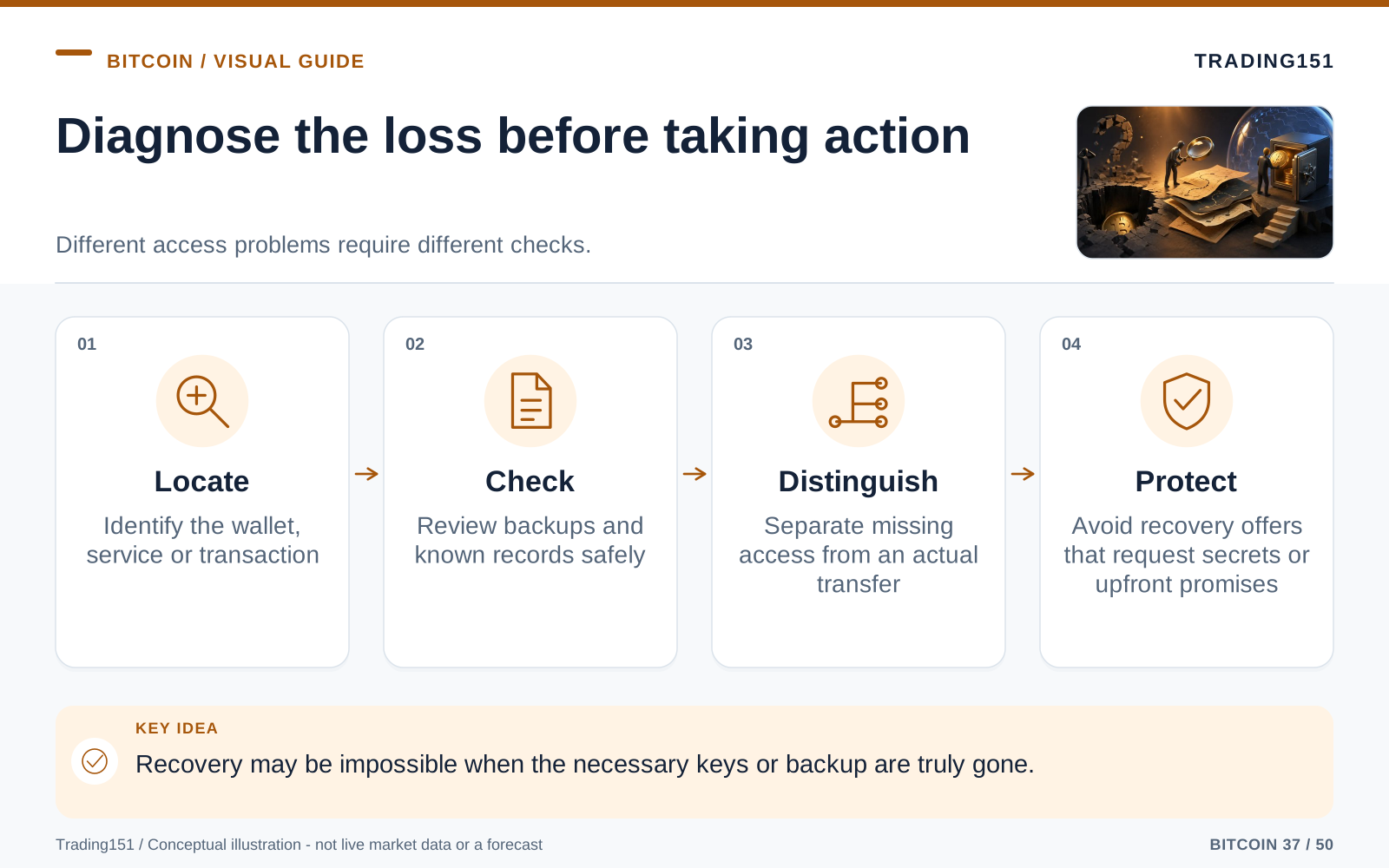
Read this diagram as text
- Locate
- Identify the wallet, service or transaction
- Check
- Review backups and known records safely
- Distinguish
- Separate missing access from an actual transfer
- Protect
- Avoid recovery offers that request secrets or upfront promises
Before You Do Anything Else, Stop Making It Worse
When you're locked out, human nature screams at you to do something. Keep trying passwords. Click every button. Reboot the machine. That instinct is dangerous right now. Rushing to fix things can permanently destroy the only evidence you have left. You need to protect the original device, the hard drive, the wallet file, and any notes you have before you start experimenting. If you can, make read-only copies of files. Take pictures of how things are plugged in. Write down exactly what happened leading up to the problem. Don't install recovery software on the same drive you're trying to save! Your first job isn’t to open the wallet right now—it’s to make sure you don't accidentally turn a fixable problem into an irreversible nightmare.
Before taking another step, run through this checklist:
- Stop guessing passwords if your device has a lockout limit. Hardware wallets, smartphones, and encrypted hard drives are designed to wipe themselves—or lock you out for years—if you fail too many times. If you don't know exactly how many guesses you have left, stop and go look up the manual.
- Do not update, format, reset, or reinstall anything. A random software update or a panic-induced factory reset can wipe out the exact hidden data you need to recover your wallet. If your device might hold a wallet file, a photo of your seed phrase, an old notes app, or a browser extension, leave it exactly as it is.
- Make copies before you tinker. If you're lucky enough to find a wallet file (like
wallet.dat), copy it a few times and put those copies on different USB drives. Only try to crack or open the copies. Pretend the original file belongs in a museum—don't touch it. - Write down everything you remember. Grab a pen and paper. When did you set this up? What computer were you using? What app did you download? Where did you buy the Bitcoin? What were your go-to passwords back then? When you're stressed, your memory plays tricks on you. Getting it all on paper gives you a reliable timeline.
- Keep your seed phrase to yourself. Anyone legitimately trying to help you will never ask for your full recovery phrase. If someone in a chat asks you to type it out or send a picture, they are trying to rob you. Period.
Once you’ve stopped the bleeding, we can figure out exactly what kind of mess we're looking at.
Scenario 1: You Just Forgot the Password
This is probably the most common panic-inducer, and it’s one of the most hopeful scenarios. Forgetting a password doesn’t mean your crypto is gone forever. It just means the door is locked and we need to figure out how to pick it.
This usually happens with old desktop programs, browser extensions, or mobile apps you haven't opened since the last bull run. You swear you know the password, but every version you type just bounces back.
First, we need to know what the password protects. Does it just unlock the app on your phone, or does it encrypt the actual wallet file? They aren't the same. If it just locks the app and you still have your seed phrase tucked away, you can usually just reset the app. But if the password encrypts a five-year-old wallet file on your PC, you might need to get a little technical.
Here is your game plan:
- Stop guessing if it's going to wipe the device. Seriously, if you're on a Ledger, Trezor, or a phone, don't just mash the keyboard. Once it factory resets, you must have the seed phrase.
- Brain dump your password history. Write down every password you've ever used. Think back to the year you set the wallet up. What was your email password? Your WiFi? The name of the dog you had? Your street address? Your favorite band? Write it all out.
- Look for your own patterns. Do you always capitalize the first letter? Do you swap 'a' for '@'? Do you throw an exclamation point at the end, or maybe the year? Those little quirks are helpful for cracking your own password.
- Dig through your digital closets. Check Apple Keychain, Google Password Manager, LastPass, 1Password, or whatever you use. Look through your browser's saved passwords. Search for words like
bitcoin,btc,wallet,crypto, or the name of the app (likeelectrum,exodus, orledger). - Back up the file before you try to crack it. Again, if you find the file, copy it. Only use recovery tools on the copy.
- Use trusted open-source software (carefully). Tools like
btcrecovercan run through thousands of variations of your password patterns to see if one fits. They are lifesavers if you know most of the password. Just make sure you download them directly from their official GitHub pages, and ideally, run them on a computer disconnected from the internet.
Brute-forcing a password only works if you can give the software a hint. If your password was 30 completely random characters and you don't remember a single one, cracking it is basically impossible. But —most of us don't make truly random passwords. We make human passwords, and human passwords have patterns.
Scenario 2: You Lost Your Seed Phrase
Your seed phrase is the ultimate safety net. If you have it, you can lose your laptop, smash your phone, and drop your hardware wallet in a lake, and you’ll still be fine. But if you don’t have it? Well, it depends on whether your wallet is still logged in somewhere.
If you lost the paper with your seed words but you can still open the app on your phone and move the money, you're lucky. Stop reading this, create a brand new wallet right now, write down the new seed phrase, send a tiny test transaction, and then move all your funds over. Done.
But if you can't access the wallet and the phrase is gone, things are harder. Keep in mind that some setups don't just rely on those 12 or 24 words. Sometimes people use a "25th word" (an extra custom passphrase). If you forget that extra word, your seed phrase might open a wallet that looks completely empty. Don't panic and assume the seed is wrong—you just might need to remember that extra word.
Here is your game plan:
- Tear the house apart. Don't just check where you think you'd put it. Check old journals, safe deposit boxes, old tax folders, the pockets of the jacket you wore three years ago, behind framed photos, inside books. We humans love hiding things in "clever" spots and then completely forgetting our own genius.
- Check your digital footprints. You're never supposed to save your seed phrase on your computer or phone, but a lot of people do it anyway. Check your cloud storage, your camera roll (did you take a screenshot?), old emails to yourself, Apple Notes, and text files on old flash drives. Search for
seed,recovery,phrase, or the names of the first few words if you remember them. - Look for pieces of the puzzle. If you find a torn piece of paper, a water-damaged notebook, or words written in the wrong order, don't throw it away! Most seed phrases pull from a very specific list of 2048 words. If you're missing just a word or two, a computer program can usually figure out the rest.
- Never type the phrase online. If you find what you think is your phrase, do not type it into a random "seed checker" website. Those are almost always scams designed to steal your coins the second you hit enter. If you need to test it, use an official app, or download trusted software on an offline computer.
If you don't have the seed phrase, your only hope is finding the original device that holds the keys. If the phrase is gone, the wallet files are gone, and the devices are destroyed, I'm so sorry, but there's no secret backdoor. Bitcoin was built so that nobody could steal your money without the key, but that same airtight security is what makes it so sharply unforgiving.
Scenario 3: The Computer or Phone Died
Just because your laptop won’t turn on doesn’t mean your Bitcoin is dead with it. A lot of people panic when a computer gets a black screen, assuming the data is wiped. Usually, it's just a dead battery, a fried motherboard, or a corrupted operating system. The hard drive inside might be sitting there perfectly fine.
If you used an old desktop program, a browser wallet, or a phone app that backed up locally, that dead device is valuable.
Here is your game plan:
- Do not throw it in the trash. It doesn't matter if the screen is cracked in half or the laptop got spilled on. Keep the device. The memory chips inside might still be readable.
- Don't force it to turn on if it's struggling. If a hard drive is making clicking noises, smells like burnt plastic, or keeps turning off, unplug it immediately. Every time you try to boot up a physically broken drive, you risk scraping the data right off the disk.
- Call in the pros if you have to. If it's a standard laptop issue, a local PC repair shop can often just pull the drive out and plug it into a reader. If the drive is physically destroyed, you might need a clean-room data recovery service. Just a tip: don't tell them it's full of Bitcoin. Just say it has old family photos.
- Hunt for the files. If you get the data back, look for files named
wallet.dat(classic Bitcoin Core). Also look for hidden app data folders, JSON files, or browser extension data. Search the drive for terms likewallet,keys, or the name of the crypto app. - Copy before you click. As always, if you find the golden file, copy it to a few different drives before you try opening it.
Treat that dusty old laptop like a crime scene. The Bitcoin isn't "inside" the computer, but the key to unlock your wealth might be buried on its hard drive.
Scenario 4: You Sent It to the Wrong Place
This is a totally different flavor of panic. You have your wallet, you have your keys, but you accidentally fired your crypto into the void.
Bitcoin transactions are irreversible by design. There's no customer service hotline to call, and you can't issue a chargeback. When it’s sent, it’s sent. That finality is a feature, but man, it makes mistakes expensive.
If you sent it to a stranger's valid address: You're entirely at their mercy. You can't force a refund. Unless you somehow know the person and can ask them to send it back, consider it a very expensive donation.
If you sent it to an exchange using the wrong network: This gets a little complicated. A lot of exchanges support different blockchains (like sending wrapped Bitcoin over Ethereum or a Layer 2). If you sent real Bitcoin to a non-Bitcoin address on an exchange, there's a chance they control the keys to that address and can recover it. You need to contact their support team immediately. Sometimes they can fish it out for you, though they might charge a hefty fee for the headache.
If you used the wrong deposit memo/tag: Same deal. Contact the exchange's support team right away. Give them the transaction ID, the exact amount, the date, and your account info. Many exchanges can reunite the funds with your account, but you have to be persistent and polite.
If the transaction is just stuck (unconfirmed): If it's been hours and the transaction is just sitting there pending, you might have just set the network fee too low. Depending on your wallet, you might be able to bump the fee (using RBF - Replace By Fee) to speed it up. This won't reverse a mistake, but it'll get a stuck payment moving.
To save yourself this heart attack in the future: always, always send a tiny test transaction first when you're moving large amounts to a new address. It feels tedious in the moment, but you'll feel like a genius when it prevents you from burning your savings.
Scenario 5: It Wasn't Lost—It Was Stolen
Sometimes you didn't forget a password. Sometimes you log in and the balance is just... Zero. You look at the history, and you see money going out that you definitely didn't authorize.
This requires a totally different response. You aren't playing detective with your own memory anymore; you're trying to stop the bleeding and trace the thief.
Here is your game plan:
- Evacuate immediately. If that compromised wallet or seed phrase controls any other accounts, move that money right now. Set up a brand-new wallet on a different device and get your remaining funds out of the blast zone.
- Retire the compromised wallet. Once a seed phrase or private key is stolen, it is forever burned. Never send funds to that wallet ever again.
- Document the crime scene. Screenshot everything. Save the transaction IDs, the address the money went to, any weird emails you received, and any logs you can find. If you end up working with law enforcement, an exchange, or a blockchain tracker, they will need this evidence.
- Sound the alarm with exchanges. If you can trace the stolen funds to a well-known crypto exchange (like Binance, Coinbase, or Kraken), contact them immediately. If you're fast enough and have proof, they can sometimes freeze the thief's account. It’s a long shot, but speed is your best friend here.
- Watch out for the second scam. People who get hacked are immediately targeted by "recovery hackers." These bottom-feeders will DM you claiming they have special software to hack the thief and get your coins back. They don't. They just want to charge you a fee and steal from you again.
When Should You Call in the Professionals?
Sometimes, doing it yourself isn't the right move. If you remember pieces of your password, if your hard drive is physically clicking, if your seed phrase is missing three words, or if there’s a life-changing amount of money on the line, it might be time to hire a legitimate expert.
Good crypto recovery isn't movie-hacker magic. It’s a mix of heavy-duty math, coding, physical data rescue, and forensic patience. A pro can write custom scripts to test your password theories or safely peel the memory chips off a dead phone.
But let's be blunt: the recovery industry is an absolute minefield of scammers. You have to be careful.
Major red flags to run away from:
- They promise a 100% guarantee before even looking at your files. No honest professional can promise they’ll recover your coins without knowing the technical details.
- They ask for your full seed phrase over an email or chat. Handing that over gives them total control of your money.
- They demand large upfront fees but offer vague explanations. Real pros might charge a small fee to diagnose the problem, but they shouldn't demand thousands upfront without explaining exactly what software or hardware techniques they are using.
- They slide into your DMs. If you post on Reddit, X (Twitter), or a forum asking for help, scammers will instantly message you. Real recovery businesses don't need to hunt for desperate victims in comment sections.
- They claim they can "reverse the blockchain." Anyone who says they can hack the blockchain to return your coins is lying to you. That is physically impossible.
Before you hand over any data, vet the company thoroughly. Check their public history, look for interviews, read independent reviews, and understand exactly how they get paid. If you're dealing with large wealth, it might even be worth putting a lawyer between you and the recovery service.
The Severe Truth: Some Bitcoin is Truly Gone
We need to be honest here, because hanging onto false hope will just drain your energy and your wallet.
If you don’t have the private key, you don’t have the seed phrase, you can’t find the wallet file, the device is destroyed, and no centralized exchange is holding the funds... Your Bitcoin is gone. Customer support can't reset it. Miners can't override it. Hackers can't crack it. Even if you hooked up all the supercomputers in the world, they couldn't guess your key.
That’s the deal we make when we use Bitcoin. If someone could bypass the security to help you, that would mean a bad actor could bypass it to rob you. The unbending math that protects your wealth from governments and thieves is the same math that locks you out when you lose the keys.
Does this mean you should give up after five minutes? Absolutely not. People constantly assume all is lost when the real issue is just a typo in a password, a hidden backup file, or a confusing app update. Be thorough. Search everything. Hire an expert if the value is worth it. But eventually, you have to be honest with yourself about where the line is between "really hard to find" and "impossible."
The Emotional Toll of Losing Crypto
Losing Bitcoin hits differently than losing cash. It messes with your head. It’s rarely just "I lost $5,000." It usually morphs into, "I lost what could have been a house in ten years." You'll probably catch yourself obsessively checking the current price, running the math on what you would have had, and thinking about all the things you could have done with it.
That kind of regret can eat you alive. You'll replay the day you set the wallet up. You'll furiously wonder why you didn't just write the phrase on two pieces of paper instead of one. You will likely feel a lot of anger toward your younger self.
Listen: beating yourself up doesn't crack the encryption. It just turns a bad financial break into a daily psychological punishment.
If the money is truly gone, let yourself grieve it like any other major loss. But separate the hard lesson from the personal shame. Crypto forces everyday people to act like their own bank security guards. Even brilliant tech developers have lost large amounts of Bitcoin. You aren't stupid. You're just a human being operating inside a system that doesn't forgive human error.
Take the lesson on the chin, and don't let the loss ruin your actual life.
How to Make Sure This Never Happens Again
Whether you crack the vault and get your coins back, or you have to start over from zero, you need a setup that the future, tired, distracted version of you won't mess up.
- Use a real hardware wallet. Keep your pocket change in a phone app if you want, but your real savings belong on a dedicated hardware device, kept far away from your daily internet browsing.
- Write the phrase down properly. No shortcuts. Check every word. Check the spelling. Verify it before you send a single dollar to the wallet.
- Upgrade from paper. Paper burns, rots, and gets thrown out by accident. Spend a few bucks on a steel backup plate that can survive a house fire.
- Decentralize your backups. A safe at home is great, until it gets stolen or flooded. If you have serious money, keep a backup in a secondary secure location.
- Don't get too clever with passphrases. Using a 25th word is great for security, but it’s just another thing you can forget. Treat it with the same respect as the master seed phrase.
- Do a fire drill. Before you load up your life savings, set up the wallet, send $10 to it, completely wipe the device, and force yourself to restore it from your physical backup. Once you prove to yourself that you know how to rebuild it, you can sleep easily.
- Think about your family. If you get hit by a bus tomorrow, your spouse or kids shouldn't be left solving a cryptographic escape room. Leave clear, secure instructions in your will or estate plan so they know what to do without exposing the keys.
- Do an annual checkup. Once a year, make sure you know where your steel plates are, make sure the devices turn on, and verify that you remember how the setup works. A backup system that you forgot how to use is completely worthless.
Being careful with crypto isn't about being paranoid; it's about acknowledging reality. Basements flood. Passwords slip our minds. We all get older and forgetful. A great security setup assumes life will throw you curveballs and builds a safety net anyway.
Establish what is missing before trusting a recovery offer
An exchange account is not the same as a self-custodial wallet. An exchange may have an official identity-verification process for account access. A self-custodial wallet depends on the relevant keys, recovery material, and wallet configuration; no central Bitcoin help desk can reset them. Use contact details obtained independently from the provider's genuine site, not from an unsolicited message offering help.
Preserve what remains before experimenting. Record the wallet software, approximate creation date, device type, address formats, and any backup labels. Keep copies of damaged files where possible without exposing secrets to an online service. Reinstalling software, overwriting a drive, or repeatedly guessing on a device with a wipe policy can make the situation worse.
A recovery phrase may also require a separate passphrase or the correct wallet derivation settings. The wrong combination can open a valid but empty wallet, which is different from proving that the funds are gone. Multisignature arrangements may require wallet configuration information as well as enough signing keys.
Recovery work is only plausible when some usable information or access path remains. A specialist may help examine an incomplete backup or a narrowly constrained forgotten password, but cannot guarantee recovery and cannot practically derive a properly generated private key from a public address alone. Never send additional cryptocurrency to "unlock" a recovery. An advance-fee demand, a request for unrestricted remote access, or pressure to share the full seed should stop the conversation.
Stop experimenting on the only copy
An old wallet file or damaged device may contain recoverable information, but repeated improvised changes can make the situation worse. Preserve the original material and work from a safe copy where appropriate. Do not upload wallet files or recovery phrases to an unfamiliar website. Before hiring help, establish what information is missing and what the proposed service can realistically do. A public address alone does not give a recovery specialist the private key. 1, 2, 3
The Bottom Line: Start with the Facts
If you are in the thick of a lost-wallet panic right now, use this as your grounding checklist:
- Diagnose the actual problem. Is it a password, a seed phrase, a broken laptop, a wrong address, or a thief?
- Freeze. Don't format, update, delete, or toss anything away.
- Copy everything. Only try to crack or open duplicates of your wallet files.
- Turn the house (and your hard drives) upside down. Hunt for seed words, old passwords, and hidden app files.
- Write down the facts. Log the dates, the apps you used, and the passwords you loved back then.
- Ignore the noise. Scammers are everywhere. Trust no one who slides into your messages.
- Call for backup if you need to. Don't be afraid to engage a trusted, verified recovery expert if you're out of your depth.
- Accept reality. If the keys are fundamentally gone, they're gone. If there's still a clue, keep working the case.
Getting lost Bitcoin back is rarely a quick fix. It feels a lot more like digging through a dusty attic with a flashlight—it’s slow, it’s frustrating, and it can be super emotional. But as long as you still have clues, it’s not hopeless.
Start by preserving what you have. Work methodically. Keep your secrets private. And when you finally see those coins sitting safely in your wallet again, take a Saturday afternoon to build a strong backup system so you never, ever have to feel this way again.
Sources and further reading
- Bitcoin.org: Securing your wallet
- CFTC: Forex Fraud
- SEC Investor Bulletin: Crypto Asset Custody Basics for Retail Investors
Editorial revision: 7 October 2026. Numerical scenarios are hypothetical unless identified as historical. References support the added explanations and selected corrections; rules and product terms should be checked again before acting.