
A hot wallet uses keys in an internet-connected environment; cold storage aims to keep signing keys away from that exposure. The distinction is useful, but neither label guarantees safety. A secure arrangement also depends on the backup, the software used to prepare transactions, and whether the person signing checks what the transaction will actually do.
First Off, What Even Is a Bitcoin Wallet?
Before we pit hot and cold wallets against each other, we need to clear up a large misconception: a Bitcoin wallet doesn't hold Bitcoin. Good wallets also show you exactly what's happening under the hood—they let you generate fresh addresses for every payment, label your transactions, set your own fees, and even connect to your own node. Bad ones just hide all the important stuff behind a slick interface. So, security isn't just about whether a wallet is hot or cold. It's about the quality of the software, where you downloaded it from, the device you're running it on, and whether you read the confirmation screens. The fanciest hardware in the world won't save you if you blindly click "approve" on a shady prompt.
I know that sounds weird. The word "wallet" immediately makes us think of a physical thing. When you put a 20-dollar bill in a leather wallet, the money is physically in there. Lose the wallet, lose the 20 bucks.
Bitcoin doesn't play by those rules. Your crypto lives on the blockchain, a large public ledger shared across thousands of computers worldwide. Your coins aren't sitting on your phone, your hard drive, or some shiny USB stick. They're permanently recorded on the network itself.
So, what exactly is inside a wallet?
It holds the keys that prove you own the Bitcoin.
Think of the blockchain like a giant wall of clear glass lockboxes. Anyone can walk up, look inside, and see exactly how much Bitcoin is in each box. But looking isn't touching. To open a box and move what's inside, you need the right key.
- Your public key (or Bitcoin address): This is essentially your lockbox number. You give this to people when you want them to pay you. It's completely safe to share.
- Your private key: This is the golden ticket. It's the secret password that proves you have the right to move the funds. Whoever holds the private key owns the Bitcoin attached to it.
That last part is the golden rule of crypto security. A wallet isn't there to guard coins; its only job is to protect your private keys. When people argue about hot vs. Cold wallets, they're really just arguing about the safest, most practical way to create, store, and use those keys without letting a hacker get their hands on them.
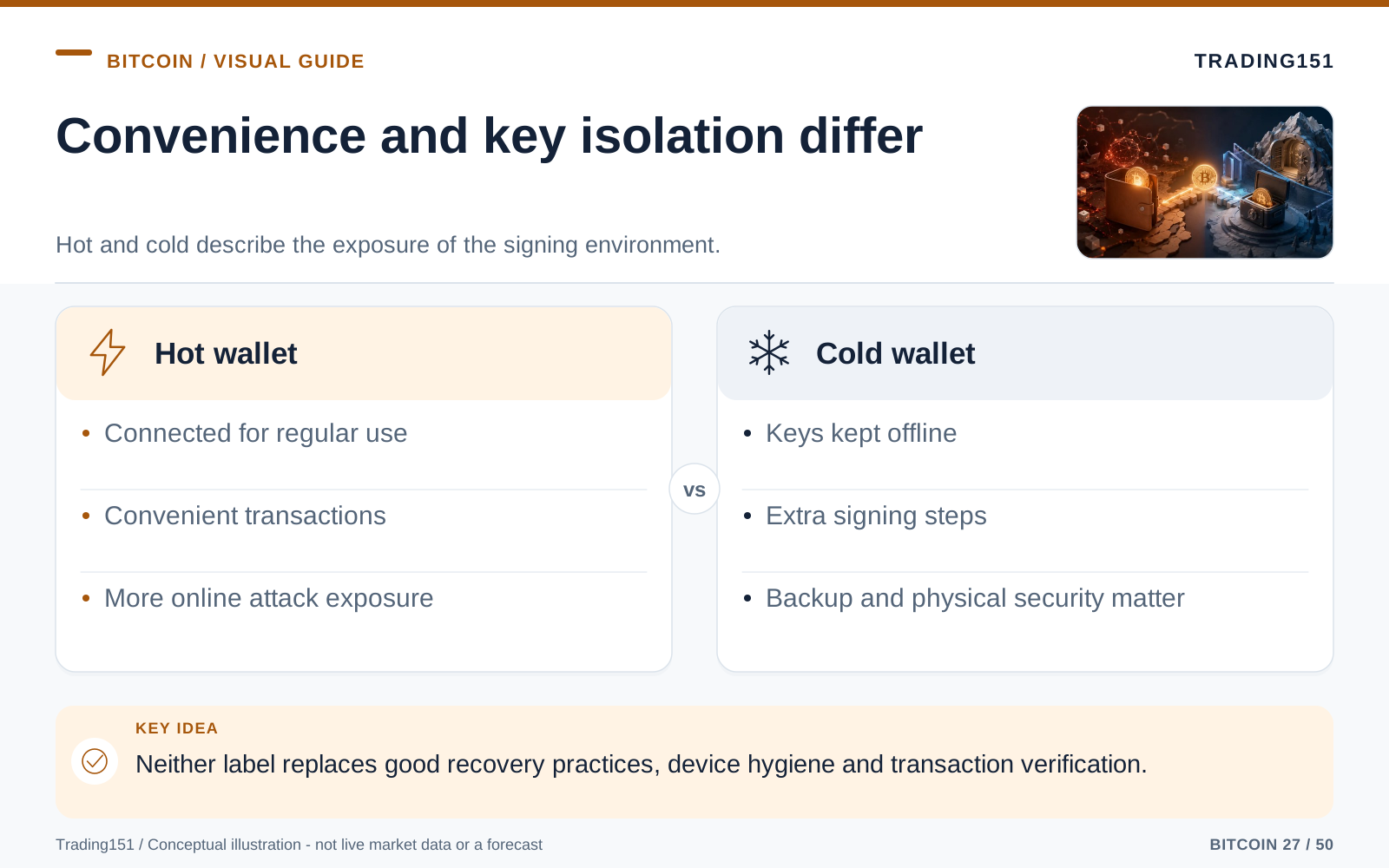
Read this diagram as text
- Hot wallet
- Connected for regular use; Convenient transactions; More online attack exposure
- Cold wallet
- Keys kept offline; Extra signing steps; Backup and physical security matter
The Hot Wallet: Fast, Easy, and Always in Your Pocket
A hot wallet is any crypto setup that touches the internet. If you have a crypto app on your smartphone, run a wallet program on your PC, or use a browser extension, congratulations—you're using a hot wallet.
People love hot wallets because they feel normal. They work just like Apple Pay or Venmo: open the app, scan a QR code, hit send. You can check how much crypto you have while waiting in line at the grocery store. You can spot a friend for dinner in seconds. You can transfer money to an exchange or try out a new platform without having to rummage through your desk for a piece of hardware.
If you're just moving small amounts of money around or using crypto every day, that convenience is a game-changer. If a wallet is too hard to use, that's a security risk in itself. Newbies get overwhelmed, skip making backups, get frustrated, and end up leaving everything on a sketchy exchange because holding their own keys feels too scary. Hot wallets make the whole process way more approachable.
Why We Love Hot Wallets
1. They're dead simple to set up. You can usually get a hot wallet running in under five minutes. The app holds your hand through the whole process, spits out your recovery phrase, and hands you a receiving address. If you're brand new to Bitcoin, this smooth onboarding is priceless.
2. They move fast. Hot wallets are designed for action. Sending, receiving, and checking balances all happen seamlessly on the device you're already staring at all day.
3. They're usually free. You can download some of the best software wallets out there without spending a dime. You still have to pay the standard network fees when you send Bitcoin, but you don't have to buy a $150 gadget just to get your foot in the door.
4. They make sense for daily drivers. If you spend your Bitcoin, split bills with friends, or actively use crypto apps, a hot wallet just makes sense. It lets you use your money without turning every transaction into a highly secure, ten-minute ritual.
The Catch with Hot Wallets
The exact thing that makes hot wallets so great is also their biggest flaw: they are connected to the internet.
Your phone and your laptop live in the messy, chaotic world of the web. You click random links. You download attachments. You hop on sketchy public Wi-Fi at airports. You get weird texts and emails. Any of those totally normal actions can turn into a disaster if you accidentally invite malware, a phishing link, or a clever hacker onto your device.
Hot wallets can get breached in a bunch of different ways. A scammy copycat app might trick you into typing out your secret recovery phrase. Sneaky malware can monitor what you copy and paste, swapping out your friend's Bitcoin address for a hacker's address right before you hit send. A fake website can look exactly like a real one and trick you into giving away your keys. And —if you're keeping a large chunk of your net worth in a hot wallet, you're essentially walking through a bad neighborhood with a clear backpack full of cash. A hot wallet is not the place to stash money you'd cry over losing.
A Simple Way to Think About Hot Wallets
Think of a hot wallet exactly like the physical wallet you carry in your jeans.
You keep some cash and your debit card in there because you need them to buy lunch or pay for gas. It's useful because it's always right there in your pocket. But you wouldn't stuff your entire life savings into it before walking out the door. If you left it on the bus or someone swiped it, it would be an absolute nightmare.
Hot wallets are your "walking around" money. They are for smaller balances, day-to-day spending, and funds you know you're going to use soon.
The Cold Wallet: Slow, Steady, and Built Like a Tank
A cold wallet—often just called cold storage—keeps your private keys completely disconnected from the internet. Usually, this means using a hardware wallet, which is a dedicated little device built for one specific purpose: generating and guarding your private keys so they never touch the web.
People love to compare hardware wallets to USB flash drives, but that's not quite right. A flash drive just sits there holding files. A hardware wallet is more like a tiny, hyper-secure computer. Its entire job is to hold your keys, sign off on transactions, and act as an impenetrable wall between your keys and your potentially virus-ridden laptop.
You'll probably hear brand names like Ledger, Trezor, Coldcard, BitBox, or Foundation Passport tossed around. They all look a bit different and have their own quirks, but the core concept is exactly the same: keep the keys offline, and force the human to physically push a button before any money moves.
Wait, How Does an Offline Wallet Send Online Money?
This confuses a lot of people at first. If the gadget is completely offline, how on earth does it broadcast a transaction to the internet?
The trick is that the hardware wallet doesn't broadcast anything. It just signs the paperwork.
Here is how it works in plain English. You set up a transaction on your laptop using your wallet app. The app drafts up the request, but it's stuck—it can't approve it because it doesn't know the private key. So, the app hands the unsigned request over to your hardware wallet. The hardware wallet looks at the details, signs the transaction securely inside its own offline chip, and hands the freshly signed request back to your laptop. Finally, your laptop broadcasts the approved transaction to the rest of the network.
Here is the critical takeaway: your private keys never, ever leave the hardware device.
Even if your computer is completely riddled with spyware, the hacker can't extract the keys from your hardware wallet. The device physically won't let them out. Plus, most good hardware wallets force you to double-check the recipient's address and the total amount on the device's own screen, stopping hackers who try to secretly change the destination address on your computer monitor.
Why People Swear by Cold Wallets
1. They are practically bulletproof online. Because the keys never touch the internet, the chances of a remote hack drop to near zero. A hacker halfway across the globe can't steal keys that are sitting offline in your desk drawer.
2. They force you to slow down. With a hardware wallet, you usually have to physically push a button or click a screen on the device to send money. That tiny moment of friction makes you stop, look at the screen, and realize what you're doing, rather than just blindly clicking "OK" on your phone.
3. They keep you from doing something stupid. Cold storage is a bit of a hassle to access, which is a large feature. When your Bitcoin is locked away and requires effort to get to, you're way less likely to panic-sell during a market crash or blow it on a random impulse trade.
4. They put a wall between spending and saving. Just like you wouldn't link your daily debit card directly to your large long-term retirement account, cold storage keeps your serious crypto stash far away from the apps and devices you use to mess around online.
The Downsides of Cold Storage
Cold wallets are safe, but they aren't flawless. They take the risk of online hacking and trade it for the risk of physical loss and human error.
1. You have to pay for them. A solid hardware wallet will set you back some cash. If you only own $50 worth of Bitcoin, dropping $150 on a wallet to protect it doesn't make a whole lot of financial sense.
2. They are mildly annoying to use. Sending money from cold storage is a chore. You have to go get the device, plug it in, remember your PIN, boot up the software, and confirm everything. It's great for security, but it's a terrible user experience if you're just trying to buy a cup of coffee.
3. Physical objects get lost. It's a real, physical thing. It can get dropped in a puddle, chewed up by your dog, stolen, or just lost in a messy move. The good news? Losing the device doesn't mean you lose the Bitcoin, as long as you have your recovery phrase.
4. Messing up the setup can wreck you. If you buy a sketchy used wallet off eBay, fail to write down your backup properly, or accidentally type your backup phrase into a random website, you completely defeat the purpose of the device. A cold wallet only works if you have good security habits to back it up.
A Simple Way to Think About Cold Wallets
A cold wallet is your heavy-duty floor safe or a bank vault. You don't crank it open to grab a few bucks for a pizza. You use it to lock away the assets you want to keep perfectly safe for years.
That is what cold storage is for. It's your vault for long-term savings and sums of money that would ruin your week (or your life) if they vanished.
The Recovery Phrase: The One Thing That Matters
Whether you choose the convenience of a hot wallet or the fortress of a cold wallet, you are going to encounter a recovery phrase (sometimes called a seed phrase). This is a master list of 12 or 24 totally random-sounding words that the wallet hands you when you first set it up. You need to make sure this backup can survive whatever disaster you are worried about. A piece of paper hidden in a dry, private spot might be fine for a couple hundred bucks, but paper burns, water destroys it, ink fades, and overly aggressive spring cleaning happens. Metal backups are way better at surviving physical destruction, but they still need to be kept private, and you need a plan for how your family can find them if something happens to you. One of the biggest mistakes people make is not testing their backup before loading up their wallet with serious money. Wiping the wallet and restoring it just to prove the words work changes your security from "I hope this works" to "I know this works."
The phrase usually looks ridiculously boring:
Apple, river, blanket, logic, window, orbit, jungle, syntax, piano, yellow, frame, tiger
Do not be fooled. Those words are not just a password reset. They are the master key to your entire vault. If your phone shatters, your laptop gets stolen, or your hardware wallet gets run over by a truck, those exact words are the only way to recover your money on a new device.
This is honestly one of the coolest things about Bitcoin. Your physical hardware wallet could drop to the bottom of the ocean, and your money is totally fine. You just buy a new one, type in those words, and your balance magically reappears.
But that superpower is a double-edged sword.
If someone else gets their hands on your recovery phrase, they don't need to steal your phone. They don't need your hardware wallet. They don't even need your PIN code. They can just load those words into their own wallet and drain your account from halfway across the world.
The Absolute Golden Rules of Recovery Phrases
- Never, ever type your recovery phrase into a website, an app, an email, or a chat box. The only place it goes is directly into trusted, official wallet software when you are actively trying to recover your funds.
- Never give it to customer support. Real support teams will never ask for your seed phrase. Ever.
- Never take a screenshot of it, snap a photo of it, save it in Apple Notes, or drop it in a Google Doc.
- Store the physical backup carefully. If you misspell a word or write them in the wrong order, you might lock yourself out forever.
Your recovery phrase might just look like a boring vocabulary test, but it is the final wall between you and losing everything. Treat it like you would treat a huge stack of hundred-dollar bills or the only copy of your birth certificate.
Hot vs. Cold Wallets: Let's Break It Down
If you just want the quick and dirty comparison, here it is:
| Feature | Hot Wallets | Cold Wallets |
|---|---|---|
| The Connection | Always touching the internet | Keys are strictly offline |
| The Cost | Almost always free | You have to buy the hardware |
| Convenience Factor | Fast, easy, great for daily driving | Slow, clunky, best for deep storage |
| Security Level | Only as safe as your phone/laptop habits | Incredible protection from remote hackers |
| The Biggest Risks | Viruses, bad links, lost phones, sloppy backups | Losing the backup phrase, bad hiding spots, messing up the setup |
| Perfect For | Pocket change, spending, playing around | Your serious life savings |
But What If I Just Leave It on Coinbase or Binance?
A lot of people buy their first crypto on an exchange and just... Leave it sitting there. It feels totally normal. You log in, you see your balance, the app looks slick, and you don't have to stress about writing down 24 weird words. If you're a beginner, trusting a large company feels way safer than trusting yourself.
But keeping your Bitcoin on an exchange is fundamentally different than holding it in your own wallet.
When your crypto is on an exchange, the exchange holds the private keys. Sure, your account says you have a balance, but you don't hold the keys that control the Bitcoin on the blockchain. This is what people mean by "custody." The exchange is acting as a custodian, and you are entirely relying on them to keep it safe, honor your withdrawals, not go bankrupt, and play nice with the government.
Sometimes, that's totally fine. If you are just trading small amounts or flipping coins quickly, exchanges are super useful. But they introduce a whole new set of headaches. They can freeze your account out of nowhere. They can pause withdrawals when the market crashes. Companies go under. Internal employees go rogue. Relying on a large corporate platform is completely different from true, independent ownership.
This is why the crypto community won't stop yelling: "not your keys, not your coins."
It's not that every exchange is an evil scam waiting to steal your money. It's just that relying on them means you are trusting someone else's security instead of your own. Setting up your own self-custody wallet—whether it's hot or cold—is the only way to put the keys in your own hands.
The Best of Both Worlds: How the Pros Do It
The whole hot vs. Cold argument makes it sound like you have to pick a team and stick with it forever. In reality, the smartest move is usually a mix of both. A good setup isn't about finding one perfect wallet; it's about having different pockets for different things. Put your spending cash in a hot wallet on your phone. Lock your serious, long-term savings in a hardware wallet. Maybe use an exchange for a quick trade, but pull the profits off right away. Splitting things up means that if you make a mistake and a wallet gets compromised, it doesn't wipe you out completely. The perfect ratio depends on how you use your money, but the golden rule never changes: do not keep your coffee money and your life savings in the same place.
Think about how you manage your regular fiat money. You probably have some cash in your wallet, a bit in a checking account for bills, and the bulk of your savings locked away in a high-yield account or investments where it's harder to get to. You don't need instant, tap-to-pay access to every dollar you own.
Bitcoin is exactly the same.
A hot wallet is great for the funds you plan to use, move, or mess around with. A cold wallet is the vault for the stash you want to sit on for years. Blending the two gives you the fast access you want without exposing your entire net worth to the chaotic internet.
A lot of folks swear by the 90/10 rule: 90% locked down in cold storage, 10% in a hot wallet for playing around. Your exact numbers will vary. For you, the hot wallet might just be $50. For an active trader, it might be a couple grand. The specific percentage doesn't matter. What matters is building a wall between your spending cash and your nest egg.
If your hot wallet gets hacked, it sucks, but it's not the end of the world. Your main stash is safe offline. And the fact that your cold wallet is annoying to use is a feature, not a bug—it stops you from impulsively gambling away your long-term savings.
How to Figure Out What Setup Works for You
There is no such thing as a one-size-fits-all wallet. The "right" choice completely depends on how much Bitcoin you have, how often you touch it, how tech-savvy you are, and how utterly devastated you'd be if it disappeared.
- If you are totally new to this: Grab a highly-rated hot wallet just to get your feet wet. Throw a tiny amount in there, get the hang of sending and receiving, and practice writing down your backup phrase before you start moving serious cash.
- If losing your balance would ruin your month: It is time to look at hardware wallets. Once the amount gets big enough to stress you out, it has no business living on your smartphone.
- If you are planning to hold for years: Cold storage is an absolute no-brainer. It heavily drops your risk of getting hacked and physically stops you from panic-selling.
- If you are constantly trading or spending: Keep your trading stack in a hot wallet, but leave the bulk of your wealth in the cold vault. Don't try to make one wallet do everything.
- If the idea of holding your own keys terrifies you: Take a breath and slow down. Start with literal pennies. Set up a wallet, delete it, and practice recovering it. Learn what a blockchain address looks like. Confidence doesn't come from buying the most expensive hardware; it comes from practicing the basics until they feel normal.
Rookie Mistakes You Really Need to Avoid
When people lose their Bitcoin, it's almost never because some super-genius hacker broke the core code of the blockchain. It's usually just normal, everyday human error: going too fast, trusting a scammer, getting lazy with backups, or assuming "I'll just fix it later."
Here are the biggest unforced errors you should avoid from day one.
Do not digitize your recovery phrase. Taking a photo or typing it into a cloud doc feels so easy, but it completely ruins the point of self-custody. If someone hacks your Apple iCloud or Google Drive, they get your wallet for free.
Do not buy hardware wallets from random guys on the internet. Only buy directly from the manufacturer. If you buy a "discounted" Ledger off eBay and the box looks tampered with, or it comes with a pre-printed recovery phrase, throw it in the trash.
Do not blindly click send. Always, always double-check the address on your computer screen against the address on your hardware wallet. Sneaky malware loves to swap out addresses at the very last second.
Do not trust random "support" DMs. Scammers are good at pretending to be helpful customer service reps, exchange employees, or friendly community mods. If anyone, anywhere, asks for your recovery phrase, they are robbing you.
Do not put all your backups in one fragile basket. A single piece of paper in your desk might be okay for 50 bucks, but if you're storing serious wealth, you need to protect that backup from fire, floods, and over-eager roommates throwing things away. Think metal plates and secure locations.
The Real Trade-Off: The Risk of Convenience vs. The Risk of Responsibility
People love to frame the hot versus cold debate as a simple choice: one is super convenient, the other is super secure. That's true on the surface, but it misses the deeper point.
A hot wallet exposes you to all the weird risks of the internet. A cold wallet drastically cuts those online risks, but it forces you to become your own personal security guard. One makes your daily life easier. The other is better for sleeping soundly at night knowing your long-term savings are safe.
The biggest trap is thinking that simply buying a product makes you secure. It doesn't. Real security is about picking the right tool for the job and then using it correctly.
A hot wallet holding a small amount of money, backed up properly, is a perfectly smart choice. A $200 cold wallet with its seed phrase photographed and saved on Google Drive is a ticking time bomb. The type of wallet you buy definitely matters, but your personal habits matter a whole lot more.
Cold keys still need a trustworthy signing process
An offline key can still authorize an unwanted payment if the user approves the wrong destination. A compromised computer may present one address while preparing a transaction to another. Where the hardware or signing device offers a trusted display, verify the destination and amount there rather than relying only on the connected computer's screen. The key remaining secret does not make every signature wise.
Understand the communication process for the particular wallet. Some devices connect by cable; others exchange transaction information through files or codes. The important property is how the private keys and signing operation are isolated, not whether the product sounds completely disconnected. Extra steps can reduce one risk while increasing the chance of a handling mistake.
The recovery backup remains a separate vulnerability. An attacker with sufficient recovery information may not need the device at all. Conversely, an owner with an intact device but no usable backup may lose access after damage or failure. Secure storage and a verified recovery procedure need to work together.
Choose complexity deliberately. A small spending wallet and a separate longer-term holding may be practical, but there is no universal amount that makes a particular setup correct. Consider what loss would mean to you, which procedures you can follow reliably, and who would manage the arrangement in an emergency. Security should improve the whole process, not merely add more hardware.
Test the recovery information, not the hiding place
A backup is useful only if it belongs to the intended wallet and can be used correctly. A carefully stored set of words can still be incomplete, misordered, or missing an additional passphrase. The wallet type and derivation information may also matter.
Use a safe, controlled process to verify the recovery arrangement without exposing the real seed to an untrusted device or website. For someone unfamiliar with the process, a separate practice wallet with a small balance can reveal misunderstandings before significant funds are committed. Record the instructions needed to repeat the recovery, not just the location of the backup.
The plan should also distinguish a failed device from compromised signing material. Replacing a broken device and restoring a wallet can address access; it does not make a stolen seed safe again. That distinction changes the response. Recovery and containment are related tasks, but they are not the same operation. 1, 2
Building a Setup You Won't Hate Using
Bitcoin gives normal people a level of absolute financial freedom that has never really existed before. You can hold large wealth without a bank. You can blast money across the globe instantly. You can secure it so tightly that no corporation or government can casually freeze your account. That is powerful.
But that power comes with a price tag: you have to know what you are doing.
Your hot wallet is your digital cash clip: fast, easy, and ideal for smaller amounts that are constantly moving. Your cold wallet is your digital bank vault: slow, highly intentional, and perfectly designed for the wealth you want to protect for a lifetime.
For the vast majority of us, the best choice isn't picking hot or cold. It's using both. Keep enough in a hot wallet to live your life, and lock the big bucks away in cold storage. Guard your recovery phrase like your life depends on it, because in the crypto world, it basically does.
You don't need to turn into a paranoid cybersecurity nerd to do this right. Just stick to the basics. Stick to well-known wallets. Treat your backup phrase with respect. Keep the big balances completely offline. Take your time, verify what you're doing, and never, ever let someone rush you into handing over your keys.
That is exactly how you turn Bitcoin from something concerning and complicated into an asset you can truly, confidently own.
Sources and further reading
- Bitcoin.org: Securing your wallet
- SEC Investor Bulletin: Crypto Asset Custody Basics for Retail Investors
Editorial revision: 7 October 2026. Numerical scenarios are hypothetical unless identified as historical. References support the added explanations and selected corrections; rules and product terms should be checked again before acting.