
Self-custody means that control of the keys rests with you rather than an exchange or another custodian. That can reduce one kind of dependency, but it makes backup and recovery part of the job. A good arrangement is not necessarily the most elaborate one. It is one you can use correctly now and recover safely when a device fails or someone else needs to help.
What Self-Custody Means
Here’s a mind-bending fact: a Bitcoin wallet doesn’t hold your coins. Your Bitcoin always lives out there on the blockchain. What your wallet holds are the private keys—the cryptographic proof that you have the right to spend those specific coins.
Real self-custody starts with figuring out what you’re trying to protect against. A backpacker carrying a couple of hundred bucks in Bitcoin, a family securing their life savings, and a high-profile figure worried about getting targeted simply don’t need the same setup. You have to weigh the risks: broken devices, burglaries, house fires, phishing scams, or just your own tendency to lose passwords. Pick security measures that solve those problems, without making it impossible for you to access your own money. Piling on random, complex security steps usually just ends up locking you out.
Think of the blockchain like a large, glass-walled vault full of transparent lockboxes. Everyone can see the boxes and what’s inside, but only the person holding the unique key can open their specific box and move the contents. Your wallet is what manages those keys.
That’s why the self-custody conversation matters so much. If you leave your Bitcoin on an exchange, they hold the key to that box. You just have an account with them. But if you hold the keys yourself, you never have to ask permission to move, store, or spend your money.
The goal here isn't to live in a state of constant paranoia. The goal is to build a setup that feels natural to use, is tough enough to survive real life, and is straightforward enough that you (or your loved ones) can recover the funds if things go sideways.
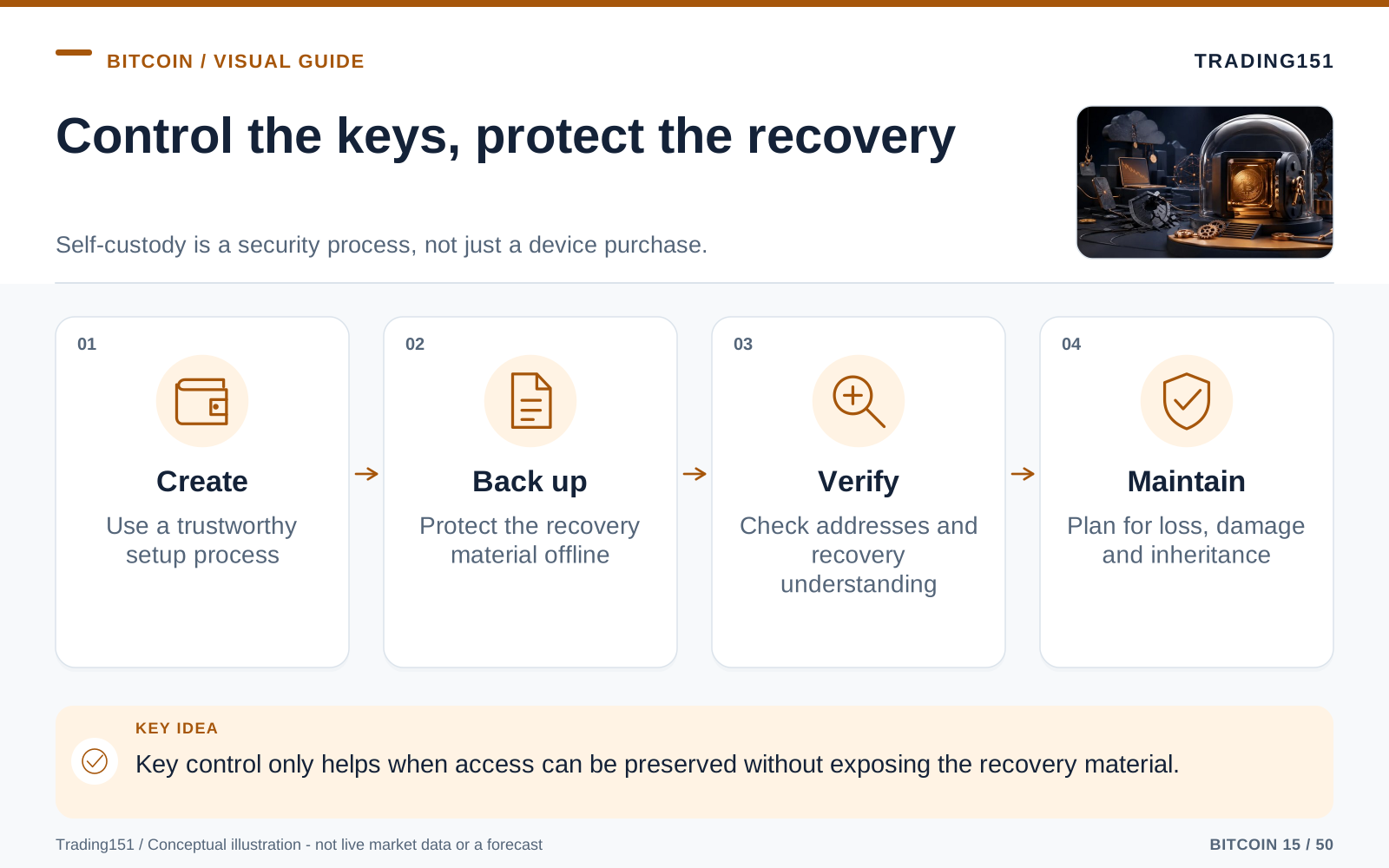
Read this diagram as text
- Create
- Use a trustworthy setup process
- Back up
- Protect the recovery material offline
- Verify
- Check addresses and recovery understanding
- Maintain
- Plan for loss, damage and inheritance
Step 1: Choose the Right Wallet for the Job
Not all wallets are created equal, and they shouldn't be used the same way. The app you use to buy a coffee shouldn't be the same vault where you stash your retirement fund. It helps to think of wallets in two basic categories: hot wallets and cold wallets.
Hot Wallets: Convenient, but Exposed
A "hot" wallet is simply one that’s connected to the internet. Think of a phone app, a browser extension, or software running on your desktop. They’re super easy to set up, fast to use, and perfect for when you want to move smaller amounts of Bitcoin without any hassle.
- Best for: Pocket change, learning the ropes, making quick transfers, and everyday spending.
- The catch: Because they live on devices connected to the web, they’re vulnerable. Malware, phishing links, sketchy apps, clipboard hijackers, and compromised devices are all real threats.
- The golden rule: Treat a hot wallet exactly like the leather wallet in your back pocket. Keep enough in there to be useful, but never so much that losing it would ruin your week.
Hot wallets are great tools. The disaster happens when people treat them like long-term savings accounts. Phones get dropped in lakes or stolen. Laptops get viruses. Browser extensions get manipulated. Convenience is awesome, but it’s the opposite of deep security.
Cold Wallets: Built for the Long Haul
A "cold" wallet keeps your private keys completely offline. For the vast majority of people, this means buying a hardware wallet—a small, physical gadget that generates and stores your keys without ever letting your computer or phone see them.
When you want to send a transaction using a hardware wallet, you draft the transaction on your computer or phone, but you have to physically approve it on the device itself. The private key never leaves the little gadget. Your computer only gets the final, signed approval.
- Best for: Long-term savings, hefty balances, retirement funds, and coins you don’t plan on touching anytime soon.
- The catch: They cost money, require a bit of focus to set up correctly, and you are 100% responsible for keeping the backup safe.
- The golden rule: If losing the Bitcoin would make you sick to your stomach, it belongs in cold storage.
Always buy hardware wallets directly from the manufacturer’s official website or an explicitly authorized reseller. Do not buy used devices on eBay. Skip the random bargain deals. And if a device ever shows up with the "recovery words" already printed on a card in the box? Throw it in the trash. A real wallet will only generate its words on the device screen, right in front of you.
Step 2: Understand the Seed Phrase Before You Touch Anything
When you set up a new wallet, it’s going to spit out a list of 12 or 24 random words. This is your seed phrase (sometimes called a recovery phrase). Treat this first run like a rough draft until you’ve double-checked it. Verify every word in order, make sure your handwriting is perfectly legible, and ideally, test restoring the wallet before you put serious money into it. And whatever you do, never snap a quick photo of the phrase or drop it into a cloud note "just for a second." Digital files have a sneaky way of copying themselves across backups, photo previews, synced folders, and hacked devices. The only time those words should ever be typed on a keyboard is if a legitimate recovery process explicitly demands it—and most hardware wallets don't even need that.
These words aren’t a password like your Netflix login. They are the master key to your entire wallet. If your hardware wallet breaks, gets lost, falls into a river, or gets run over by a lawnmower, you can type those exact words into a brand-new wallet and boom—your Bitcoin is back.
That’s the incredible news.
The concerning news is just as straightforward: anyone else who finds those words can do the same thing. They don’t need your physical device. They don’t need your PIN code. They don’t need a confirmation email. If they have the words, they have your money.
So, if you only remember one rule about self-custody, make it this one: your seed phrase must stay strictly offline, completely private, and safely recoverable.
How to Back Up Your Seed Phrase Safely
- Use a pen and paper. Don’t type it into your Notes app, a password manager, a cloud doc, or a text message. Don’t take a photo. Digital files can be hacked, synced to the cloud, or swiped without you ever knowing.
- Double-check every word. Most of these words come from a standard list, and a lot of them look or sound alike. One misspelled word can turn a stressful recovery day into a total nightmare. Take your time.
- Make it indestructible. Paper is fine for the first week, but it’s a terrible plan for the next decade. Water damage, house fires, humidity, pests, and fading ink are real threats. For serious, long-term storage, stamp or engrave your words into a specialized metal backup plate.
- Hide it somewhere boring but secure. A bolted-down safe, a clever hiding spot in your home, or a bank deposit box can all work. The "right" spot really depends on your living situation, who has access to your house, and what kind of threats you’re worried about.
- Don’t try to be a spy. Splitting the words into three separate pieces, hiding them in fake puzzle boxes, or inventing your own complicated cipher usually just guarantees you’ll lock yourself out. Future You needs to be able to figure this out on a stressful day.
The best backup isn’t some James Bond-level scheme. It’s the simple, sturdy setup that survives a disaster and is still completely readable ten years from now.
Step 3: Use a Strong PIN (But Know What It Does)
Your hardware wallet will ask you to set a PIN. Definitely do this, and make it long enough that a thief can’t guess it in three tries. Skip the birthdays, the "1111"s, and anything else obvious.
But here’s a crucial distinction: don’t confuse the PIN with the seed phrase. The PIN just locks the little plastic device in your hand. The seed phrase controls the actual money on the blockchain. If someone steals your physical hardware wallet but doesn't know the PIN, your money is safe. But if someone steals your seed phrase, the PIN on your device won't help you at all.
This is vital to understand. You can easily buy a replacement hardware wallet. You cannot "reset" a leaked seed phrase. If you ever suspect someone has seen your backup words, the only safe move is to buy a new wallet, generate a brand-new set of words, and move your funds over immediately.
Step 4: Always Send a Small Test Transaction First
The first time you withdraw Bitcoin to your own custody, don’t move the whole stack at once. Send a tiny test amount first.
When you’re excited to finally get your coins off an exchange, this feels tedious. But it’s the single easiest way to prevent a catastrophic mistake. Bitcoin transactions are final. There is no customer service hotline, no chargeback form, and no "undo" button.
A smart first transfer looks like this:
- Generate a new "receive" address on your wallet.
- Confirm that the address physically displayed on your hardware wallet matches what’s on your computer screen.
- Send a couple of dollars' worth.
- Wait for it to show up in your wallet.
- Only then, go ahead and send the rest.
This simple ritual proves your setup works, builds your confidence, and catches silly mistakes before they cost you thousands.
Step 5: Verify Addresses Like Your Money Depends on It (Because It Does)
When you withdraw Bitcoin, you’ll be pasting in a receiving address. It’s a long, ugly string of letters and numbers that looks like total gibberish. It is tempting to just glance at it and hit "send." Don’t.
Hackers use clever malware that quietly swaps out your copied address for theirs the moment you hit "paste." A shady wallet app can show you a fake address. A hacked laptop can completely lie to you. That tiny, annoying screen on your hardware wallet is there for one reason: it’s the only screen you can trust to show you what you’re signing.
When you’re receiving funds, meticulously compare the address on your computer screen to the one on the physical device. You don’t have to memorize it, but check the first five and last five characters. If you’re moving life-changing money, slow down and check the whole thing.
When you’re sending funds out, read the destination address, the amount, and the transaction fee on the hardware wallet’s screen before you click approve. A transaction is only safe when your physical device confirms exactly what you intended to do.
Step 6: Consider a Passphrase for an Extra Layer of Defense
Most decent hardware wallets give you the option to add a passphrase. You’ll often hear this called the "25th word," though it doesn't have to be a single word, and it’s completely separate from your original seed phrase.
Think of a passphrase like a secret hallway that leads to a hidden vault. The same seed phrase with no passphrase opens your regular wallet. The seed phrase plus your secret passphrase opens an entirely different, hidden wallet. If you change the passphrase again, you get yet another fresh wallet.
- Seed phrase + no passphrase = Wallet A
- Seed phrase + Passphrase 1 = Wallet B
- Seed phrase + Passphrase 2 = Wallet C
This is a brilliant trick. For instance, you could keep a small amount of Bitcoin in the "decoy" wallet (no passphrase) and hide the bulk of your savings in the passphrase-protected wallet. If someone ever found your seed backup, they’d only see the decoy funds unless they also magically guessed your exact passphrase.
But a passphrase isn’t magic—it’s just a second secret you have to protect. You need to take it just as seriously as the seed phrase. If you forget it, there is no "Forgot Password?" button. If you get hit by a bus and your family can’t figure out the passphrase, those coins are gone forever.
Good Passphrase Habits
- Make it long but unforgettable. A short, obvious password like "Bitcoin123" is basically useless. A longer, personal phrase that only makes sense to you is much stronger than a string of random characters you'll struggle to remember.
- Don't store it right next to the seed phrase. Keeping the key and the combination to the hidden vault in the same drawer entirely defeats the purpose. If an intruder finds one, they shouldn't automatically find the other.
- Do a test run before you rely on it. Wipe a spare device and restore the wallet to prove your passphrase opens the vault you think it does. Do this before you load it up with life-changing money.
- Leave instructions for your family. If nobody can figure out the passphrase after you’re gone, congratulations: your security worked too well.
Passphrases are fantastic for some people and complete overkill for others. If you use one, do it intentionally. A forgotten passphrase is exactly as permanent as a stolen seed phrase.
Step 7: When One Key Isn’t Enough (Multisig)
As their Bitcoin stacks grow, some people get uncomfortable trusting everything to a single seed phrase. One piece of metal can be lost. One house can flood. One person can make a fatal mistake. That’s where multisig (multiple signatures) comes in.
A standard wallet is a 1-of-1 setup: there is one key, and that key rules everything. A common multisig setup is 2-of-3: three distinct keys exist, but you only need two of them to spend the money.
This completely eliminates the single point of failure. If a burglar steals one key, they can’t move your money. If a fire destroys another, you still have the two you need to recover the funds. You are no longer one bad day away from losing it all.
What a 2-of-3 Setup Might Look Like
- Key 1: A hardware wallet hidden in your home safe.
- Key 2: A second hardware wallet secured in a bank deposit box across town.
- Key 3: A backup key held by a trusted attorney, a reliable family member, or a professional collaborative custody firm.
Multisig is an incredible tool, but please don't improvise it on a Sunday night after skimming a YouTube video. It adds a lot of moving parts. You don't just have to back up the keys—you also have to back up the specific configuration file that tells the wallet software how those keys interact. If you lose that file, recovery turns into an absolute nightmare.
If your Bitcoin represents life-changing wealth, multisig is absolutely worth the effort. But if you’re just holding a modest amount, a single, properly protected hardware wallet is likely much safer than a tangled multisig web you barely comprehend.
Step 8: Don't Fall for Phishing and Fake Support
The vast majority of Bitcoin theft has nothing to do with genius hackers breaking cryptography. It’s almost always social engineering—tricking a panicked person into handing over their secrets.
Scammers prey on the fact that self-custody feels intimidating. They create a false sense of urgency. They blast out fake emails claiming your wallet has been breached. They impersonate support staff on Twitter. They buy Google ads that flawlessly mimic official wallet websites. They lurk in Discord and Telegram, sliding into your DMs with polite, "helpful" instructions.
The endgame is always identical: they want your seed phrase, your passphrase, or for you to blindly approve a transaction.
Rules to Survive the Scams
- No legitimate company will ever ask for your seed phrase. Not for customer support. Not to verify your identity. Not to unlock an account. Never.
- Your seed phrase only goes into your physical hardware wallet. If a website, pop-up, or app asks you to type it in, close the window immediately. It’s a scam.
- Never trust links in urgent emails. Manually type out the company’s official website yourself, or stick to your own bookmarks.
- Beware the overly helpful stranger. Real tech support won't slide into your DMs to walk you through a wallet fix.
- If you feel rushed, hit the brakes. Panic is a scammer’s favorite weapon. Real security issues can always wait ten minutes for you to catch your breath and think clearly.
A calm, deliberate person is very hard to rob. Whenever a situation feels desperately urgent, treat that urgency as a large red flag.
Step 9: Keep Your Mouth Shut
Top-tier self-custody isn’t just about metal plates and encrypted hardware. It’s also about basic operational security: managing who knows what.
Stop talking about how much Bitcoin you have. Don’t flex your gains on social media. Don’t post pictures of your brand-new hardware wallet, your steel backups, or your impenetrable home safe. And try to avoid causally mentioning to strangers at parties that you "are your own bank."
This might sound a bit antisocial, but it’s just common sense. You wouldn’t walk into a crowded bar and shout that you have a duffel bag full of cash under your bed. The internet is an infinitely larger bar, and it never forgets.
Privacy is your first line of defense. The most secure target in the world is the one the attacker doesn't even know exists.
Step 10: Watch Out for "Dust" and Privacy Leaks
Every now and then, you might notice a tiny fraction of a cent in Bitcoin randomly show up in your wallet from an unknown sender. This is known as dust. Often, blockchain analytics firms or attackers spray these tiny amounts to thousands of addresses. They just want to see how you spend those coins later, hoping it will expose which addresses are tied together in your wallet.
For most normal folks, the golden rule is simple: just ignore mystery dust. Don't touch it. Better wallet software includes a feature called "coin control," which lets you manually pick exactly which chunks of Bitcoin you want to spend. This makes it easy to leave the unwanted dust sitting right where it is.
Bitcoin privacy is a large rabbit hole, but the basics are straightforward. Generate a fresh receive address every time your wallet lets you. Don't post your addresses publicly. Think carefully before combining funds from different parts of your life. And never forget: the blockchain is a radically public ledger, even if your actual name isn't written on it.
Step 11: Keep Your Setup Simple Enough to Use
There comes a point where security just turns into performance art. Multiple safes, cryptic notes, memorized word fragments, steel plates buried in the backyard, fake decoy labels, and half-remembered ciphers might make you feel like Jason Bourne. But in the real world, life gets messy, and overcomplicated setups almost always fail. A truly secure plan should be something you can summarize on a single piece of paper without exposing the secrets. Jot down which devices you own, what kind of wallet standard you’re using, roughly where your backups are, how a basic test recovery works, and who to call if you suddenly disappear. And whenever you change something, update the paper. People don’t just lose their Bitcoin because they lost a single word—they lose it because, five years later, they cannot remember which passphrase, which derivation path, or which backup belongs to which wallet. Simplicity is a security feature.
The ultimate self-custody setup is one that you can explain effortlessly on a sunny Tuesday, and recover from smoothly on the worst day of your life.
Ask yourself a few uncomfortable questions:
- If my hardware wallet died tomorrow, could I restore everything?
- If my house burned down, along with my laptop and phone, could I still get my funds?
- Do my heirs even know this Bitcoin exists?
- If something happened to me, would they know exactly what to do without accidentally handing the money to a scammer?
If you answered "no" to any of these, don't panic. You don’t need to scrap everything and start over. You just have a little homework to do.
Step 12: Build an Inheritance Plan (Before It’s Too Late)
Inheritance is the part of self-custody that everyone loves to ignore because it’s deeply uncomfortable to think about. But ignoring it is how excellent security turns into an absolute tragedy.
If you are the only person on earth who knows your Bitcoin exists, where the backups live, and how the hardware works, your wealth will simply die with you. This happens constantly. It will keep happening as long as people confuse "secrecy" with "having a plan."
Your family doesn't necessarily need full access to your stack today. In fact, they probably shouldn't have it. But they absolutely need a clear path to discovering and recovering the funds if the unthinkable happens to you.
A Good Inheritance Plan Should Spell Out:
- That the Bitcoin exists and is part of your estate.
- Exactly where the hardware wallet(s) are stashed.
- Exactly where the physical seed phrase backup is hidden.
- Whether there is a passphrase, and where they can find it.
- Whether they are dealing with a standard wallet or a multi-signature setup.
- A short list of trusted people they can ask for help, and a strict list of who to avoid.
- A giant, bold warning about what they should never do (especially typing seed words into a website).
Please, do not put your actual seed phrase in your will. Wills can become public records and pass through dozens of hands. The much smarter move is to use your legal documents to point to the location of the materials, without exposing the actual secret. If you’re dealing with a sizable estate, it’s worth finding an attorney who understands digital assets or working with a reputable, inheritance-focused custody firm.
A solid inheritance plan doesn’t compromise your security today. It just ensures your security still functions tomorrow when you aren't around to manage it.
A Sensible Setup for the Average Person
If all of this feels totally overwhelming, don't sweat it. Here is a baseline, highly practical setup that works beautifully for most long-term holders:
- Buy a trusted hardware wallet straight from the official manufacturer’s site.
- Write your seed phrase down on paper with a pen during the initial setup.
- Eventually, punch or engrave those words into a tough metal backup.
- Hide that metal backup somewhere boring and secure.
- Use a strong, non-obvious PIN on the hardware device itself.
- Always, always send a tiny test transaction before moving a large stack.
- Verify every receiving address physically on the hardware wallet’s screen.
- Keep your daily spending money in a hot wallet, and your life savings in cold storage.
- Stop broadcasting your Bitcoin holdings to the internet.
- Write up clear inheritance instructions that don't reveal the actual seed phrase.
It’s not a sexy setup. And that’s exactly the point. Boring security ages well.
The Most Common Mistakes That Wreck People
When people lose their own Bitcoin, it almost always boils down to a handful of classic mistakes. If you know what they look like, you can avoid them entirely.
- Snapping a photo of the seed phrase: Cloud syncing, hacked iCloud accounts, and automatic backups quickly turn one private photo into a public liability.
- Storing the backup next to the device: If a burglar finds both in the same drawer, your security is fundamentally broken.
- Using tech you don’t understand: Advanced multisig and complex routing are only useful if you know how to recover from them.
- Skipping the test transaction: A $5 test transfer is the cheapest insurance policy against a $50,000 typo.
- Falling for fake support: Anyone, anywhere, asking for your seed words is trying to rob you. Period.
- Forgetting about the family: Perfect, impenetrable secrecy often equals permanent, total loss.
- Changing things on the fly without notes: Future You is not going to remember the brilliant setup tweak you made at 2 AM last night.
None of these things happen because people are dumb. They happen because we are busy, distracted, anxious, or a little overconfident. The goal is to build automated habits that protect you, even when you aren’t thinking straight.
Rehearse recovery without putting the backup online
A wallet setup is not fully understood until its recovery process makes sense. That does not mean typing recovery words into a website to see whether they work. Use the manufacturer's verified backup-check or recovery procedure, and read its warnings before testing. Keep the exercise away from software and devices you do not trust.
The backup needs enough context to be useful. Depending on the wallet, recovery may involve a passphrase, account details, a derivation path, or a wallet descriptor as well as recovery words. Multisignature arrangements can require coordination information beyond the individual keys. Do not assume that every wallet uses the same format or that a generic tutorial covers your setup.
A rehearsal should answer ordinary questions: where are the instructions, who can find them, and what happens if one location is unavailable? A backup stored beside the device can fail in the same fire or theft. A backup hidden so well that nobody can find it creates a different problem. Balance confidentiality with recoverability rather than optimizing only one side.
Keep test amounts separate from long-term funds when possible, and record which steps were checked. A successful practice recovery is useful evidence about your procedure, not a guarantee against every future error. Review the arrangement when your circumstances change, especially after moving home, changing wallets, or changing who would handle your affairs in an emergency.
Make inheritance practical without exposing the keys
An inheritance plan needs to explain both where the assets are and how an authorized person can recover them. Leaving a seed phrase in an ordinary email or a widely accessible document may solve the discovery problem by creating a theft problem. Hiding everything without instructions creates the opposite risk.
Separate the information where appropriate. An executor may need an inventory, the location of instructions, and the identity of a professional who can help, without receiving unrestricted access years before it is needed. The right arrangement depends on the family, the amount, and the legal framework.
Test the explanation with a small, separate wallet or a dry run that does not reveal the real signing material. Someone who understands the plan today may not be available later, so the instructions should not depend entirely on one person's memory. Update them when the wallet structure or custody arrangement changes. 1, 2
Security That Fits Real Life
Self-custody completely rewires your relationship with money. And yes, at first, it can feel concerning. The first time you withdraw your funds from an exchange to your own hardware wallet, you’re going to stare at the screen, refresh the page ten times, and sweat bullets wondering if you did it right.
That anxiety is totally normal. And it almost always fades once the process clicks.
Over time, holding your own keys starts to feel less like a high-wire technical stunt and more like basic financial hygiene. You know exactly where your Bitcoin is. You know exactly who controls it. You know exactly how it’s backed up. You know what happens if your laptop dies, if an exchange halts withdrawals, or if your family suddenly needs to access the funds.
That deep, quiet confidence is what people are really chasing when they get into Bitcoin.
Bitcoin gives everyday people the power to store wealth without asking for a permission slip from a bank, a brokerage, an exchange, or a government. But it doesn’t eliminate responsibility—it just transfers the responsibility completely over to you.
Take it seriously. Keep the actual setup dead simple. Protect your seed phrase like your life depends on it, verify what you sign, stay humble and quiet about your stash, and make absolutely sure your loved ones aren’t left holding an unsolvable puzzle. Do all of that, and self-custody quickly stops feeling scary. It just becomes what it was always meant to be: total ownership, without a middleman.
Sources and further reading
- SEC Investor Bulletin: Crypto Asset Custody Basics for Retail Investors
- Bitcoin.org: Securing your wallet
Editorial revision: 7 October 2026. Numerical scenarios are hypothetical unless identified as historical. References support the added explanations and selected corrections; rules and product terms should be checked again before acting.